
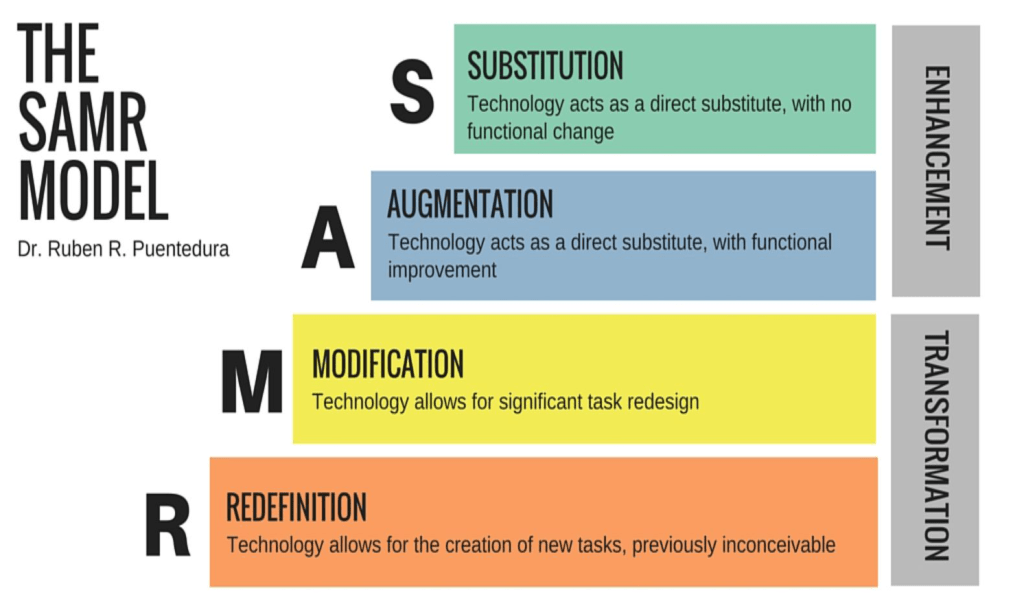
Adding technology tools to the classroom doesn’t need to be costly or burdensome. In my 20 years in the classroom, I have found that some of the best tools can be both technology based and a bucket of old craft supplies. In the classroom, we want to enhance and transform our lessons to encourage ownership in learning.
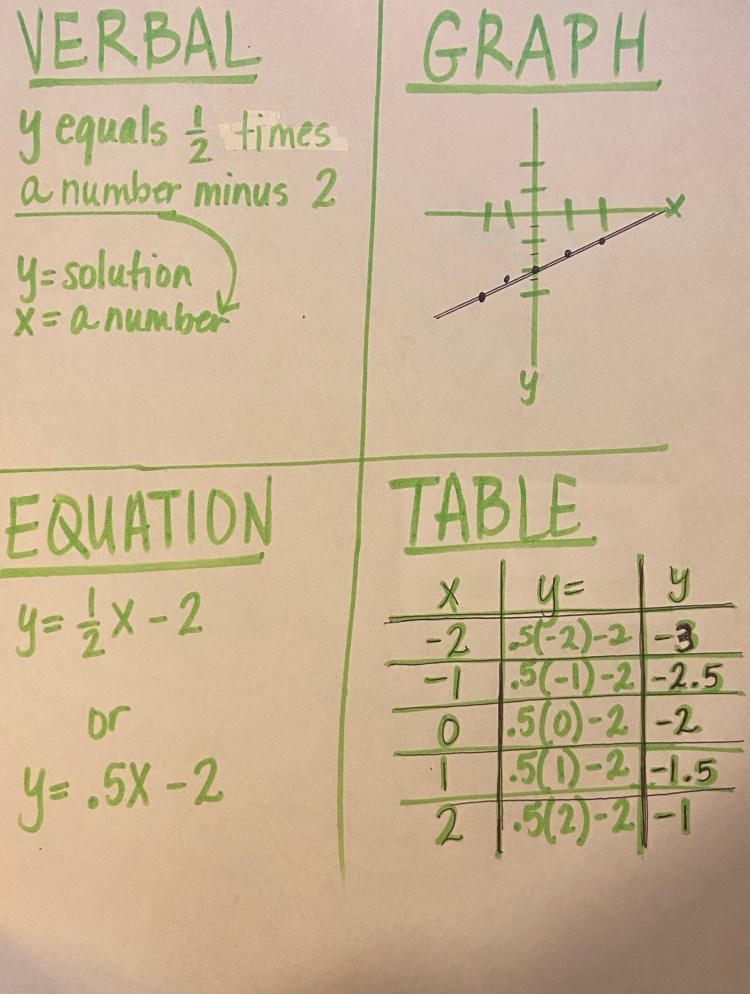
Some great substitution tools I loved as a math teacher, have to do with manipulatives and ways of sharing your answers with the whole class. I absolutely love Post-its. – the colors, the sticky, the big ones the small ones, but as a math teacher there were 2 that were my absolute favorite. The large ones that could be used as posters in the classroom.


I would have the students split the paper into quarters. In the top left quadrant – VERBAL – have the students write the question and also write out what each variable will represent. In the top right quadrant – GRAPH – have the students create an x/y graph, that they will complete with the information. Pay attention to which quadrants you will need to use (I, II, III, IV), your positives and negative numbers. In the bottom left – EQUATION – have the students begin working through to create an equation, using the variables. In the bottom right quadrant – TABLE – have the students begin using the equations to solve for x and y. Put your answers in the y column. I prefer to have 3 columns, the first one x (I prefer starting -2, -1, 0, 1, 2), the second one the process (writing out the equations as you solve for each x), and the last column the y (solutions). The order of the multiple representations on the paper doesn’t matter and can be adjusted. These sticky pads also come in graph paper.
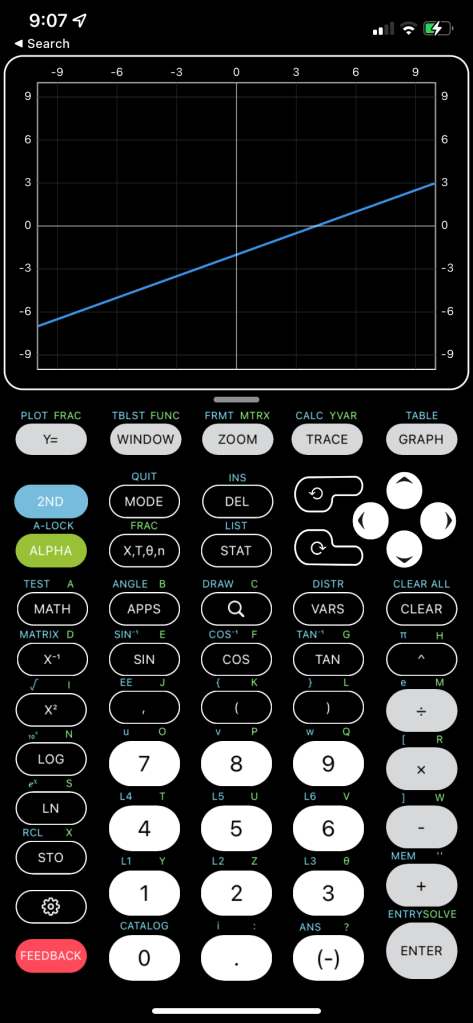
One thing I love about these big pieces of paper is the ability to show and correct mistakes. One of the best math skills you can have is to recognize when you have right and wrong answers! While using TI-84 Calculators, you must be able to recognize if you are typing things wrong, or if you have gotten the wrong answer. Teaching students to use shortcuts such as the <Y=> screen to plug in equations and then <graph> and <2nd><graph> to get the table for their work. Being able to use the simple pencil and paper thinking process and then applying it with the graphing calculators is a great way to being the SAMR model as the function of doing the math is through the calculator (substitution). 

The augmentation of this same work could also be done by using Microsoft Excel. I have taught students to create their x/y tables in Excel and then use the Chart Wizard (scatter plots with lines not line graphs) to create graphs. As with the calculator, you can adjust the colors to help solve answers for your system of equations.


Tips: Make sure you have the correct boxes chosen before clicking <insert><chart>. Chose scatterplot with line for this type of graph.
On another note -(pun intended) have you seen the translucent sticky notes?? These have become my go-to. I personally like the colorful ones; however the white ones I could definitely see different uses.
1. Use them over diagrams and trace and label figures and parts.
2. Use them to “highlight” passages when annotating and taking notes.
3. Use them in interactive notebooks to label, create colorful graphs, and notes.
4. Use them as divider labels in spirals, binders and notebooks.
5. Create a basic coordinate plane and use the sticky’s to create graphs.
6. ** There are sticky notes made with graphs already printed.
7. You can create a template on Word that can match the shape of your sticky notes. Attach your sticky’s on printer paper and print. — (There are some great ideas on Teachers-pay-Teachers)

As an Amazon Associate I earn from qualifying purchases.
 Teaching Re-Imagined